Creative Portrait Illustration with Procreate
A course by Samuel Rodriguez, Artist and Illustrator


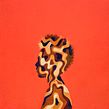
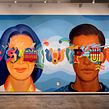

Learn how to combine lettering and abstract elements in your digital portraits
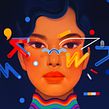


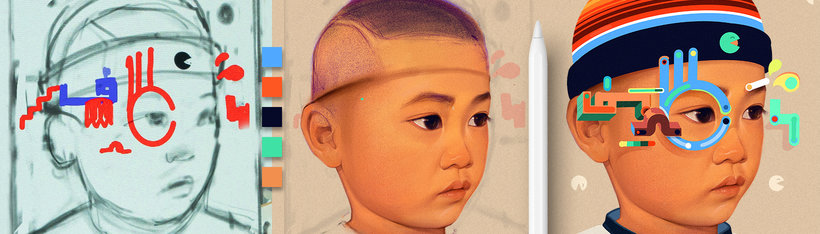
Procreate has changed the game for artists today, gone are the days when you had to wait for paint to dry before adding on a new layer, now it’s all in your hands. Samuel Rodriguez, renowned artist in the California art community, has leveraged this app’s full capacity, creating stunning digital portraits. He depicts the diverse mix of cultures around him with creative flair, balance and style.
Delve into his world, where he combines his graffiti background and studies in Fine Arts, to seamlessly infuse abstract art into digital portraits. In this course, you’ll harness the power of Procreate to give your portrait illustrations a creative, abstract twist by using color, lettering, and shapes. Learn through his own methodology to compose your creative digital portraits from start to finish.
What will you learn in this online course?
28 lessons & 19 downloads

What's included in this course?
Get to know Samuel, how his passion for illustration started off on the streets as a graffiti vandal, to studying at a formal Art Academy. He will share all the different types of art careers he has had throughout his 25 years’ experience, and how he recently achieved his dream: becoming a full-time self-employed artist. He will also share some of his references, with some surprising ones, such as Nintendo.
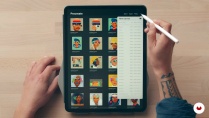
Next, he will show you his approach to illustrating a portrait, going through his thumbnail sketches and analyzing how they evolve into finished pieces. You will begin to use Procreate with an introduction to the most important aspects of the app, including hand gestures, brush preferences, and tools navigation. You will also see how to set up your document to record a time-lapse video of your work in progress.
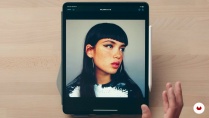
For Samuel, collecting references is an important part of the build-up to your art. He goes through his method for collecting and organizing his research while discussing some examples of portraiture. You’ll search through typography, color, and more, to get a full visual sampling for your project.
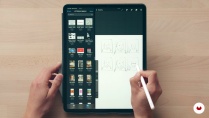
Start creating your thumbnail sketches by incorporating the visual elements of your research, putting as many ideas as possible into play. This is when you’ll explore composition, to create an ideal shape hierarchy and prepare the groundwork for a perfectly balanced composition.
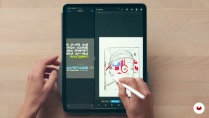
Next, begin to draw your portrait using your references, with Samuel guiding you through his step-by-step process to build the structure. Then, add color to your portrait illustration, while looking at some shortcuts he uses to add and change color options on Procreate. Learn how to create abstract shapes by chopping and rearranging letters, giving full command to your creativity.
Move onto harmonizing your composition, by merging your layers, adding drop shadows, shapes, texture, and more. Discover how to add the final touches to your illustration with Photoshop, how to export your image, and prepare it for print.
- 96% positive reviews (180)
- 5,697 students
- 28 lessons (6h 44m)
- 19 additional resources (2 files)
- Online and at your own pace
- Available on the app
- Audio: English, Spanish (Latam), French, Italian, Portuguese, Turkish
- Spanish · English · Portuguese · German · French · Italian · Polish · Dutch · Turkish
- Level: Beginner
- Unlimited access forever
Recommended software & tools for this course
 Procreate
What is this course's project?
Learn how to create a digital portrait on Procreate from scratch with abstract elements, using typography and color, ready for publication in print or web.
Projects by course students


Who is this online course for?
This course is for professionals or students in digital art, illustration, and design, interested in creating portraits that seamlessly combine abstract elements and lettering for Fine or Commercial Art. Those who have many influences and want to learn how to incorporate them in their illustrations will especially benefit from this course.
Requirements and materials
You will need some drawing skills, including some understanding of facial anatomy.
About the materials, you will need an iPad (with iOS 11.1 or a more recent version), an Apple Pencil, the Procreate App, and Adobe Photoshop.

Reviews

Samuel Rodriguez
A course by Samuel Rodriguez
Samuel Rodriguez started off his artistic journey as a self-taught graffiti artist in California, which led him to study Fine Arts at California College of the Arts. Now he is an artist with over 25 years’ experience, in many artistic professions, and on numerous types of projects ranging from murals for public art spaces to illustrating for clothing apparel, editorials, and more.
His colorful, abstract portraits reflect the cultural hybridity he observes all around him, looking at society, history, and all aspects of culture as his main source of inspiration. Samuel is a referent artist in the Bay Area art scene, and is a full-time self-employed artist, exhibiting for galleries such as Thinkspace, and working for major brands such as Puma, Samsung, Hero, and more.
Content
-
U1
Introduction
-
Introduction
-
Influences
-
What We Will Do on the Course
-
-
U2
Preparation and Research
-
Procreate Basics
-
References of portraits and faces
-
References of Typography, Shapes and Color
-
-
U3
Thumbnails to Refine Sketch
-
Combining Lettering, Portraiture, and Abstract Shapes
-
Final Thumbnail Sketch
-
Color
-
Narrowing Color Choice
-
-
U4
Finalizing the Illustration
-
Portrait 1
-
Portrait 2
-
Portrait 3
-
Adding Color to the Portrait 1
-
Adding Color to the Portrait 2
-
Adding Color to the Portrait 3
-
Adding Typography and Shapes 1
-
Adding Typography and Shapes 2
-
Adding Typography and Shapes 3
-
Adding Typography and Shapes 4
-
Merging Everything 1
-
Merging Everything 2
-
Merging Everything 3
-
Merging Everything 4
-
Merging Everything 5
-
Merging Everything 6
-
-
U5
Post-Production
-
File Usage and Timelapse Recording
-
File Export, Final Touches, File Preparation and Saving Files
-
-
FP
Final project
-
Creative Digital Portrait Drawing with Procreate
-
What to expect from a Domestika course
-
Learn at your own pace
Enjoy learning from home without a set schedule and with an easy-to-follow method. You set your own pace.
-
Learn from the best professionals
Learn valuable methods and techniques explained by top experts in the creative sector.
-
Meet expert teachers
Each expert teaches what they do best, with clear guidelines, true passion, and professional insight in every lesson.
-
Certificates
PlusIf you're a Plus member, get a custom certificate signed by your teacher for every course. Share it on your portfolio, social media, or wherever you like.
-
Get front-row seats
Videos of the highest quality, so you don't miss a single detail. With unlimited access, you can watch them as many times as you need to perfect your technique.
-
Share knowledge and ideas
Ask questions, request feedback, or offer solutions. Share your learning experience with other students in the community who are as passionate about creativity as you are.
-
Connect with a global creative community
The community is home to millions of people from around the world who are curious and passionate about exploring and expressing their creativity.
-
Watch professionally produced courses
Domestika curates its teacher roster and produces every course in-house to ensure a high-quality online learning experience.
FAQs
Yes, this course is designed for intermediate-level artists who want to combine portraiture, typography, and graffiti-inspired elements in digital artwork.
You will need Procreate on an iPad, along with a stylus. Access to reference images and basic knowledge of digital art tools is recommended.
You'll learn to integrate portraiture, abstract symbols, and lettering; manage layers in Procreate; create unique graffiti layouts; and prepare artwork for print, murals, or self-publishing.
Yes, the course covers Procreate fundamentals, including creating documents, setting DPI for print, managing layers, brush selection, and workflow shortcuts.
The course teaches step-by-step techniques for combining facial imagery with lettering, dingbats, and abstract symbols to create cohesive and expressive compositions.
Yes, you'll explore techniques for designing large-scale artworks, including murals suitable for museum exhibitions or public spaces.
No prior graffiti experience is required, but familiarity with basic art principles and digital illustration will be helpful.
 Procreate

Es detallado e inspirador, me gusta.
a different technique and a different portrait design process
Excelente técnica! Dá pra acompanhar todas as etapas do processo. Mas para quem ainda não tem uma boa base de ilustração, desenho e pintura talvez seja difícil conseguir reproduzir de primeira, porque o processo não é tão verbalizado, é mais mostrado. Mas já da pra abrir a mente e o trabalho é lindo!
I really enjoyed this course and @Samuel Rodriguez's in depth technique. Not sure if the course is easy to follow for beginners though.
I don't think this course is comprehensive enough. The explanations on procreate are quite fast (ok there are courses to push your procreate learning). Not enough information about the brushes used (I had to look in the community posts to find the information.) The documents are exclusively for Mac. (A pc version would be interesting). There are few documents to keep. He is a very good artist, the teaching method needs to be improved.