Developing RAW Files on Lightroom Classic
A course by Edu Gómez, Photographer


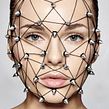


Learn how to develop your photos and create presets
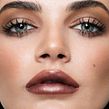
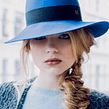
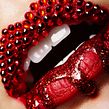

RAW photography allows you to make corrections to an image that previously required access to a dark room. In this online course, fashion and beauty photographer Edu Gómez teaches you how to develop your RAW files with Adobe Lightroom Classic.
Learn to use the program from scratch and how to get the most out of your images by making corrections or applying presets directly to a digital negative. Ready to explore the creative possibilities of working with RAW files?
What will you learn in this online course?
29 lessons & 13 downloads
What's included in this course?
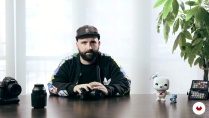
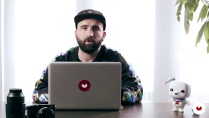
Begin by getting to know Edu Gómez, photographer and founder of Hangover magazine. He tells you about his work and the influences that inspire him.
Next, discover what a RAW file is and what it is used for.
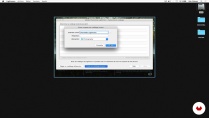
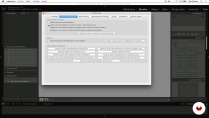
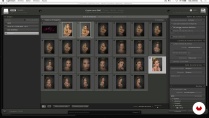
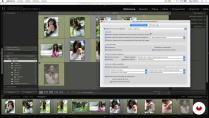
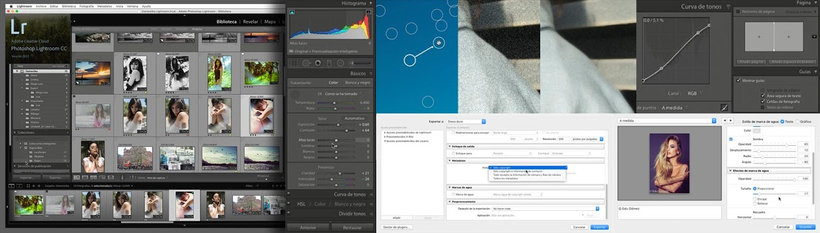
Dive into Adobe Lightroom Classic and explore the interface, along with the program's settings. Edu teaches you about libraries (viewing and organizing images, collections, metadata, keywords, and face detection), and managing files and catalogs.
Once you know your way around the program, learn how to use basic developing features like camera calibration, cropping tools, curves, working in black and white, and adding effects. Discover how to apply presets to a batch of photographs to speed up your work.
Next, Edu shows you how to export your final images in high resolution to print, share online or present as a projection.
Finally, look at other similar programs such as Camera Raw, Adobe Bridge, and Capture One, and the workflow that your teacher uses in his personal projects.
- 96% positive reviews (447)
- 10,666 students
- 29 lessons (4h 1m)
- 13 additional resources (10 files)
- Online and at your own pace
- Available on the app
- Audio: Spanish, English, French, Italian, Portuguese, Turkish
- Spanish · English · Portuguese · Italian · French · Turkish
- Level: Beginner
- Unlimited access forever
Recommended software & tools for this course
 Adobe Lightroom
 Adobe Photoshop
What is this course's project?
Edit several different types of images in Lightroom and create a series of presets to use for future editing projects.
Projects by course students


Who is this online course for?
Photographers, designers, retouchers, and anyone who wants to get started in the world of developing RAW files with Adobe Lightroom Classic and Photoshop.
Requirements and materials
Basic knowledge of Photoshop is recommended, but not essential.
To take this course, you need a camera and a computer with Adobe Photoshop and Lightroom Classic installed.

Reviews
Edu Gómez
A course by Edu Gómez
Edu Gómez is a fashion and beauty photographer. He started out in the world of design but, in 2008, discovered that his true passion was photography. He lives between Spain and London and works as a professor specialized in Photoshop and digital retouching. He is also the founder of Hangover Magazine.
In his own words, he is always looking for new challenges that inspire him and “tickle his brain.” He's driven by the desire to keep growing, and his motto is to work hard, learn fast, and be a good problem solver.
Content
-
U1
Introduction
-
Presentation
-
Influences
-
The Raw Format What is it and what is it for?
-
-
U2
Introduction to Lightroom
-
Creating our first catalog
-
Interface and configuration
-
Importing images into the catalog
-
Library I: Visualization
-
Library II: Filter and label
-
Library III: Rename and move images
-
Library IV: Collections
-
Library V: Metadata, keywords and face detection
-
-
U3
Revealed in Lightroom
-
Camera Calibration with Color Checker Passport
-
Crop Tool and Basic Settings
-
Tone Curve
-
HSL + Stain removal tool
-
Black and White + Virtual Copy
-
Split Tones
-
Detail
-
Lens corrections + Effects
-
From beginning to end. Gradients and adjustment brush. Snapshots
-
Presets!
-
-
U4
Export in Lightroom
-
To export
-
Book Module
-
Web Module
-
Print module
-
Projection Module
-
-
U5
Other developers and personal flow
-
Adobe Camera RAW + Bridge
-
Tour of Capture One
-
Personal work flow
-
-
FP
Final project
-
Revealed RAW files with Lightroom
-
What to expect from a Domestika course
-
Learn at your own pace
Enjoy learning from home without a set schedule and with an easy-to-follow method. You set your own pace.
-
Learn from the best professionals
Learn valuable methods and techniques explained by top experts in the creative sector.
-
Meet expert teachers
Each expert teaches what they do best, with clear guidelines, true passion, and professional insight in every lesson.
-
Certificates
PlusIf you're a Plus member, get a custom certificate signed by your teacher for every course. Share it on your portfolio, social media, or wherever you like.
-
Get front-row seats
Videos of the highest quality, so you don't miss a single detail. With unlimited access, you can watch them as many times as you need to perfect your technique.
-
Share knowledge and ideas
Ask questions, request feedback, or offer solutions. Share your learning experience with other students in the community who are as passionate about creativity as you are.
-
Connect with a global creative community
The community is home to millions of people from around the world who are curious and passionate about exploring and expressing their creativity.
-
Watch professionally produced courses
Domestika curates its teacher roster and produces every course in-house to ensure a high-quality online learning experience.
FAQs
You’ll master beauty photography techniques, color management, natural retouching, model direction, professional editing of RAW and DNG files, plus advanced image organization in Lightroom and Photoshop.
Yes, this course is designed for those with basic photography skills who want to deepen their knowledge of beauty techniques, retouching, and advanced digital file management.
It’s recommended to have basic photography knowledge and some experience with Lightroom and Photoshop to fully benefit from the course.
You’ll need a digital camera capable of shooting in RAW, a computer with Adobe Lightroom and Photoshop installed, and internet access to download files and resources.
RAW files keep all the sensor data intact, JPGs are processed and compressed, and DNG is a universal RAW format that saves space and simplifies file management.
You’ll learn how to create catalogs, import images, add metadata, use keywords, collections, and filters to efficiently organize your photos.
Yes, the course covers natural retouching techniques that preserve skin texture and advanced color handling for beauty and fashion portraits.
 Adobe Lightroom
 Adobe Photoshop
Ya usaba Lightroom pero este curso me permitió aprender y descubrir una manera de trabajar mas profesional
Ya uso lightroom pero es un cueso muy útil!!!!! bien explicado
Excelene! si no tienes conocimiento explica muy bien el interface y el area de trabajo de LightRoom
A pesar de que ya conozco Lightroom bastante bien, este curso me ha servido para repescar y repensar muchos aspectos tantos de la interfaz coomo del revelado. Está bien explicado y con ejemplos prácticos.
Ya utilizaba lightroom, pero el curso me ha servido para conocer su potencial mucho mejor y más a fondo! Recomendable 100%