Portrait Illustration with Analog and Digital Techniques
A course by Amy Pearson, Artist and Illustrator

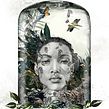
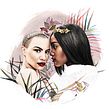
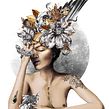

Seamlessly combine graphite, watercolor, and Photoshop to create a stunningly lifelike portrait
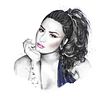
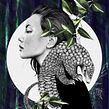

Beautiful images that empower women are at the heart of Amy Pearson’s work. Throughout her career, the artist has developed a unique technique for creating incredibly realistic portraits that capture the power and strength of the women she illustrates.
In this course, Amy teaches you how to make captivating portraits that combine a variety of analog and digital techniques. Guiding you from initial sketch to finished work, discover how the blend of handmade pencil drawing, watercolor painting, and Adobe Photoshop has the ability to create stunning images full of color and character.
What will you learn in this online course?
17 lessons & 12 downloads
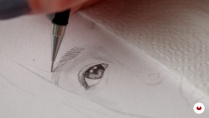

What's included in this course?
Start your course by getting to know a bit about Amy and how she made the jump from fashion design to illustration. See some of the clients she’s worked with throughout the years and learn about how she uses Instagram to showcase and sell her work.
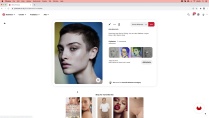
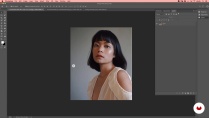
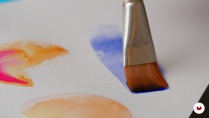
Amy introduces you to the different materials you need to create your final project. She shows you where to find inspiration and some of her favorite online sources for reference images. Using Photoshop, prepare your selected reference photo by adjusting levels and start learning some basic watercolor techniques that will help bring your portrait to life.
Next, discover the basics of a great composition by preparing a rough collage of your final illustration in Photoshop. After printing out the image layout, Amy shows you how to use a lightbox for sketching the outline of your portrait before offering some tips on developing your final sketch.
Start creating the decorative elements that will make your illustration stand out and learn how to import your drawings into Photoshop. Using some basic tools, create layers to add color and texture to your project. Begin adding backgrounds and learn some of Amy’s tricks for adding depth to your work.
Finally, get some recommendations on printing your art using Giclée printing, the ideal method for reproducing work with exceptional amounts of detail. Wrap things up by getting some ideas on how to hand finish your final print, including paint, embroidery, and metal leaf techniques.
- 100% positive reviews (157)
- 2,284 students
- 17 lessons (2h 43m)
- 12 additional resources (2 files)
- Online and at your own pace
- Available on the app
- Audio: English, German, Spanish, Spanish (Latam), French, Indonesian, Italian, Dutch, Polish, Portuguese, Romanian, Turkish
- English · Spanish · Portuguese · German · French · Italian · Polish · Dutch · Turkish · Indonesian · Romanian
- Level: Beginner
- Unlimited access forever
Recommended software & tools for this course
 Adobe Photoshop
What is this course's project?
Create a hand-rendered portrait by combining analog and digital techniques, including pencil, watercolor, and Photoshop.

Projects by course students


Who is this online course for?
This course is for artists, illustrators, or anyone with an interest in creating portraits that combine traditional and modern techniques.
Requirements and materials
No previous experience is necessary, but basic drawing and Photoshop skills are nice to have.
Necessary materials include a mechanical pencil, an eraser, mixed media paper, watercolor paints and brushes, a lightbox or a ruler, tracing paper, a printer, a scanner or camera, a graphics tablet, and a computer with Adobe Photoshop installed.

Reviews

Amy Pearson
A course by Amy Pearson
Based in the UK, Amy Pearson is a multidisciplinary artist and illustrator specialized in creating art that combines analog and digital techniques.
Working with clients like The Beauty Effect, Nylon, and more, Amy creates magazine spreads, privately commissioned portraits, menus, and other projects that showcase her unique creative style. She is currently focused on marketing and selling her self-directed artwork as prints through different online channels, including her own website.
Content
-
U1
Introduction
-
About Me
-
Influences
-
What We Will Do in the Course?
-
-
U2
Preparation
-
Materials
-
Finding Inspiration & Research
-
Photoshop Editing
-
Basic Watercolour Techniques / Understanding Watercolour
-
-
U3
Creating the Portrait
-
Rough Sketching in Photoshop
-
Tracing the Outline
-
Detailed Pencil Drawing
-
-
U4
Adding Creative Elements
-
Decorative Elements
-
Working in Photoshop 1
-
Working in Photoshop 2
-
Editing and Adding in Other Items 1
-
Editing and Adding in Other Items 2
-
-
U5
Final Touches and Printing
-
Recommendations for Fine Art Printing
-
Final Touches
-
-
FP
Final project
-
Portrait Illustration with Analog and Digital Techniques
-
What to expect from a Domestika course
-
Learn at your own pace
Enjoy learning from home without a set schedule and with an easy-to-follow method. You set your own pace.
-
Learn from the best professionals
Learn valuable methods and techniques explained by top experts in the creative sector.
-
Meet expert teachers
Each expert teaches what they do best, with clear guidelines, true passion, and professional insight in every lesson.
-
Certificates
PlusIf you're a Plus member, get a custom certificate signed by your teacher for every course. Share it on your portfolio, social media, or wherever you like.
-
Get front-row seats
Videos of the highest quality, so you don't miss a single detail. With unlimited access, you can watch them as many times as you need to perfect your technique.
-
Share knowledge and ideas
Ask questions, request feedback, or offer solutions. Share your learning experience with other students in the community who are as passionate about creativity as you are.
-
Connect with a global creative community
The community is home to millions of people from around the world who are curious and passionate about exploring and expressing their creativity.
-
Watch professionally produced courses
Domestika curates its teacher roster and produces every course in-house to ensure a high-quality online learning experience.
FAQs
Yes, this course is designed for beginners and covers foundational techniques in watercolor, fashion, and portrait illustration, as well as digital methods.
You'll need basic art supplies such as watercolor paints, pencils, paper, tracing paper, a light box, and access to Photoshop. Optional items include a Wacom tablet, gold leaf, and embroidery materials.
You will learn expressive watercolor techniques, digital illustration in Photoshop, life drawing, reference sourcing, client communication, and finishing methods like gold leaf and embroidery.
Yes, the course integrates traditional methods like watercolor and sketching with digital workflows in Photoshop for hybrid illustration projects.
Yes, the course teaches you how to use Pinterest and other digital platforms to collect, organize, and curate reference imagery and mood boards.
You will learn practical self-promotion techniques and strategies for effective client communication specifically for illustration and freelance projects.
Yes, the course covers integrating natural motifs into portraits and demonstrates finishing techniques like gold leaf, embroidery, and metallic inks.
 Adobe Photoshop
Wow! This was fantastic. The use of hand drawing, painting, digital manipulation, gold leaf and sewing to capture a unique portrait was exquisite. Amy explained everything clearly and her demonstrations were easy to follow. The final result remains a constant inspiration for my own work.
The course provided great inspiration in combining different mediums into a single artwork and demonstrated practical techniques to achieve this. The instructor's approach effectively expanded my understanding of creative possibilities. For anyone interested in exploring new artistic methods and gaining new inspiration, this course is highly recommended.
Curso muito inspirador e proveitoso porque cobre várias técnicas. Instrutora com boa didática.
Great Course, great Artist!
Maravilloso y práctico