Vector Character Design for Beginners
A course by Martin Laksman, Illustrator and Graphic Designer

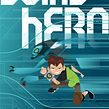


Learn how to get the most out of Adobe Illustrator and create fantastic characters from geometric shapes


Whether it's movies, TV shows, stories, or legends, we’re surrounded by characters, and according to graphic designer and illustrator Martin Laksman, these can be powerful tools for communication. Throughout his career, he has worked with brands like Disney and Coca-Cola and designed hundreds of characters that, while seemingly simplistic in form, never lack in expressivity.
In this course, learn step by step how to create a vector character in Adobe Illustrator. Become familiar with the program and discover how to use vectors to take your design skills to a new level. Explore the beauty of simplicity and learn how to illustrate using small pieces and geometric shapes.
What will you learn in this online course?
16 lessons & 14 downloads

What's included in this course?
Start by meeting your teacher Martin Laksman and hear about his professional background in the illustration sector. He shares some of his creative influences, including other illustrators, movies, and TV shows, before going over the course content.
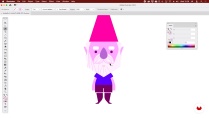
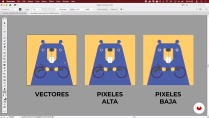
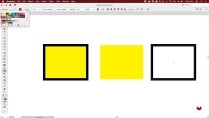
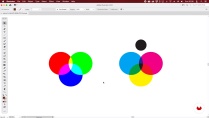
Immerse yourself in the world of characters and understand their role as a friendly and approachable communication tool. Learn some basic concepts about vectors and illustration in Adobe Illustrator and explore the program’s tools and features.
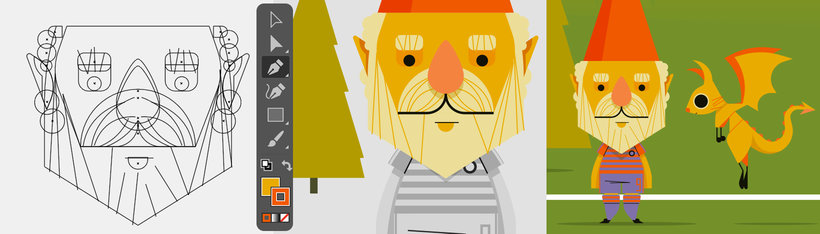
Now that you've got the basics down, it’s time to design your character. Start by looking for references. Once you’ve found your inspiration, create a digital sketch and experiment with different ways to construct a body using geometric shapes.
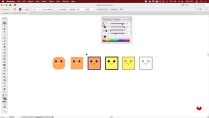
In the next unit, focus on creating the final shape you want for your character. Then, work on more concrete details like a defined graphic style, color palette, and morphology. You now have a fantasy character ready for new adventures!
Finish the course by creating a faithful companion to accompany your hero and an environment for both to live in that helps further emphasize their personality traits.
- 100% positive reviews (51)
- 1,244 students
- 16 lessons (2h 34m)
- 14 additional resources (7 files)
- Online and at your own pace
- Available on the app
- Audio: Spanish
- Spanish · English · Portuguese · German · French · Italian · Polish · Dutch · Turkish · Romanian · Indonesian
- Level: Beginner
- Unlimited access forever
Recommended software & tools for this course
 Adobe Illustrator
What is this course's project?
Design a character combining mythological figures, folklore from different cultures, and your personal tastes. Create a faithful companion for your character and an environment that you can use as a starting point to embark on future adventures.
Projects by course students


Who is this online course for?
Anyone with or without experience interested in the world of vector illustration and character design as well as designers and illustrators who want to learn this technique.
Requirements and materials
You don’t need any prior knowledge to take this course.
You only need a computer with a vector illustration program like Adobe Illustrator.

Reviews

Martin Laksman
A course by Martin Laksman
Martin Laksman is an Argentinian illustrator with a degree in graphic design from the Architecture, Design, and Urban Planning Department of the University of Buenos Aires where he’s been teaching Editorial Illustration as an adjunct professor in the Roldán department for the past ten years. He is currently the co-director of his own professional illustration training program and the art director for the Club Atlético Independiente where he creates graphic content for the marketing department.
He also works as a freelance illustrator for different national and international graphic media outlets. His work includes character creation, sports and editorial illustrations, and icons that balance simplicity with communicative power. Throughout his career, he has worked with clients like Disney, Coca-Cola, Cartoon Network, Under Armour, Bundesliga, Gatorade, Sports Illustrated, ESPN, NaranjaX, etc.
Content
-
U1
Introduction
-
About Me
-
Influences
-
What We Will Do in This Course?
-
-
U2
Welcome to a Fantastic World, Full of Vectors
-
Characters: Today
-
What Are Vectors: Node and Line on the Workspace
-
The Possibility of Illustrating Through the CTRL + Z Error
-
How to Use Them: Shape
-
How to Use Them: Color
-
-
U3
Getting to Know Your Fantastic Character
-
How to Create Your Character: Graphic References
-
How to Create Your Character: From the Idea to the Workspace
-
About the Character: The Skeleton
-
-
U4
Creating Your Character
-
Simple Shapes for the Foundation of Your Character
-
Choice of Graphic Style and Color
-
Final Details
-
-
U5
Your Character's World
-
Complementary Characters: A Faithful Friend
-
The Environment of the Characters
-
-
FP
Final project
-
Vector Character Design for Beginners
-
What to expect from a Domestika course
-
Learn at your own pace
Enjoy learning from home without a set schedule and with an easy-to-follow method. You set your own pace.
-
Learn from the best professionals
Learn valuable methods and techniques explained by top experts in the creative sector.
-
Meet expert teachers
Each expert teaches what they do best, with clear guidelines, true passion, and professional insight in every lesson.
-
Certificates
PlusIf you're a Plus member, get a custom certificate signed by your teacher for every course. Share it on your portfolio, social media, or wherever you like.
-
Get front-row seats
Videos of the highest quality, so you don't miss a single detail. With unlimited access, you can watch them as many times as you need to perfect your technique.
-
Share knowledge and ideas
Ask questions, request feedback, or offer solutions. Share your learning experience with other students in the community who are as passionate about creativity as you are.
-
Connect with a global creative community
The community is home to millions of people from around the world who are curious and passionate about exploring and expressing their creativity.
-
Watch professionally produced courses
Domestika curates its teacher roster and produces every course in-house to ensure a high-quality online learning experience.
FAQs
Vector illustration is a digital technique that uses scalable shapes and lines, perfect for creating crisp images that can be used in graphic design, branding, animation, and print products without losing quality.
Yes, this course is designed for students with basic illustration or graphic design knowledge who want to deepen their skills and tools in vector illustration for professional projects.
You should have basic digital tool skills and some initial design or drawing knowledge. It’s helpful to be familiar with Adobe Illustrator and basic illustration concepts.
You’ll learn how to create, edit, and animate vector illustrations, design original characters, incorporate cultural references, work with color and composition, and adapt your artwork for both digital and print media.
Yes, Adobe Illustrator is the main software used in this course because it offers specialized tools to create and edit professional vector illustrations.
The course covers techniques like digital inking, geometric reduction, character creation, node manipulation, using the Pen tool, line and color management, and basic animation.
You’ll be able to create brand characters, design posters, sports illustrations, digital comics, advertising mascots, and limited-edition packs, tailoring your work to various market needs.
 Adobe Illustrator
Excelente!!
Un gran curso que te enseña lo que promete.
Il corso include alcune funzioni basilari di Ilustrator, con particolare riferimento alla teoria del colore. Inoltre, presenta tutti i passaggi necessari alla creazione di un personaggio di fantasia, suggerendo un preciso piano di lavoro che potremo utilizzare per ogni nostra futura creazione. Il contenuto è chiaro e conciso e comprende una serie di interessanti risorse da scaricare. Il corso è assolutamente ben fatto. Complimenti!
Tengo que decir que se aprende cosas, pero para mi punto de vista va muy rápido para ser para principiante, no te da tiempo de captarlo todo tienes dar para atrás muchísimas veces, también hay cosas que hace y no sabes ni como lo ha hecho, que demás de lo rápido que va, no lo dice como lo ha hecho. Después su software esta en ingles, y si no tienes ni idea de inglés pierdes también muchos detalles.
Un curso muy práctico