Abstract Portraiture with Photoshop and After Effects
A course by Klarens Malluta, Visual Artist

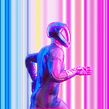
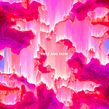
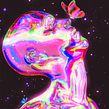

Use digital tools to transform conventional portraits into unique and colorful works of art

Working with abstract content can seem complicated, but with digital tools, anything is possible. Visual artist Klarens Malluta uses them to make colorful, and unusual works of art. He aims to bring something new to the table every time he creates and has collaborated with clients including Adobe, Ultra Music, and DJ Snake.
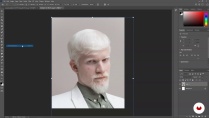
In this course, he teaches you how to transform regular portraits into unique artwork using Photoshop and After Effects. Explore the possibilities of abstract portraits by experimenting with digital tools and capture the essence of your subject without the need for words.
This is Klarens’ second course at Domestika. In his first, Psychedelic Animation with Photoshop and After Effects, he teaches you how to use your imagination to design futuristic animations full of color.
What will you learn in this online course?
17 lessons & 18 downloads
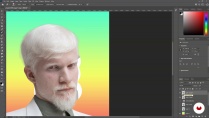
What's included in this course?
Begin the course by getting to know visual artist Klarens Malluta. He shares the journey that saw him go from a degree in electrical engineering to a full-time artist, along with the influences that have inspired his career and the work he creates.
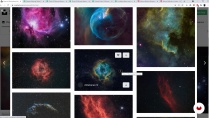
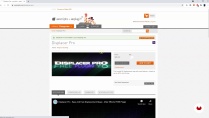
Learn how to decode artwork and identify the different elements and techniques used to create it. Klarens then shares his advice for finding images and resources to inspire your work before walking you through the software needed for this course.
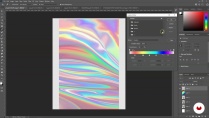
Explore how to create gradients and patterns in Photoshop. Then learn to use the Stamp Tool, adjustment layers, and blending mode before putting what you’ve learned into practice to create two different portraits. Use a combination of Photoshop and After Effects to put unique touches to your artwork and create a frame-by-frame PNG animation.
Klarens guides you through how to make your work more abstract using filters, gradient maps, and more. To finish the course, he shows you how to export your finished work in a variety of different formats for platforms like YouTube and Instagram.
- 100% positive reviews (67)
- 2,103 students
- 17 lessons (2h 33m)
- 18 additional resources (1 files)
- Online and at your own pace
- Available on the app
- Audio: English
- English · Spanish · Portuguese · German · French · Italian · Polish · Dutch · Turkish · Romanian · Indonesian
- Level: Beginner
- Unlimited access forever
Recommended software & tools for this course
 Adobe After Effects
 Adobe Photoshop
What is this course's project?
Create two abstract portraits and a PNG animation using Adobe Photoshop and After Effects.

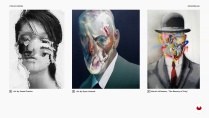
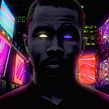
Projects by course students


Who is this online course for?
This course is for anyone interested in learning how to create abstract artwork and animations.
Requirements and materials
Basic knowledge of Adobe Photoshop and After Effects is useful but not essential.
In terms of materials, you will need access to a computer with these programs installed.

New to Adobe After Effects? In that case, we recommend taking Domestika Basics courses to learn how to use the software: Introduction to After Effects.
Reviews

Klarens Malluta
A course by Klarens Malluta
Klarens Malluta is a freelance visual artist from Albania. For three years, he has been creating original visual compositions and uploading them daily on social media, compiling over 1000 pieces since he began. His experimental style mixes different techniques and software to bring new, colorful ideas to life.
With an aesthetic often described as trippy, psychedelic, or futuristic, Klarens work creating cover art and other visuals has led him to collaborate with several musicians and labels, including DJ Snake, Ultra Music, The Galantis, Jackboy, Adobe, and Empire Records. You can find his work online on Instagram and Behance.
Content
-
U1
Introduction
-
About Me
-
Influences
-
-
U2
Getting Started
-
Decoding the Style
-
Resources
-
Materials and Plugins
-
-
U3
Creating Portraits
-
Portrait 1: Gradients and Patterns 1
-
Portrait 1: Gradients and Patterns 2
-
Portrait 1: Gradients and Patterns 3
-
Portrait 1: Adjustment Layers, Blending Modes and Finalize
-
Portrait 2: Starting in Photoshop
-
Portrait 2: Edit in AE with Displacer Pro 1
-
Portrait 2: Edit in AE with Displacer Pro 2
-
Portrait 3: Photoshop Actions
-
Portrait 3: Editing Variations
-
Portrait 3: Animate in AE
-
-
U4
Final Effects and Exporting
-
Exporting in Different Formats
-
How to Make Your Work More Abstract
-
-
FP
Final project
-
Abstract Portraiture with Photoshop and After Effects
-
What to expect from a Domestika course
-
Learn at your own pace
Enjoy learning from home without a set schedule and with an easy-to-follow method. You set your own pace.
-
Learn from the best professionals
Learn valuable methods and techniques explained by top experts in the creative sector.
-
Meet expert teachers
Each expert teaches what they do best, with clear guidelines, true passion, and professional insight in every lesson.
-
Certificates
PlusIf you're a Plus member, get a custom certificate signed by your teacher for every course. Share it on your portfolio, social media, or wherever you like.
-
Get front-row seats
Videos of the highest quality, so you don't miss a single detail. With unlimited access, you can watch them as many times as you need to perfect your technique.
-
Share knowledge and ideas
Ask questions, request feedback, or offer solutions. Share your learning experience with other students in the community who are as passionate about creativity as you are.
-
Connect with a global creative community
The community is home to millions of people from around the world who are curious and passionate about exploring and expressing their creativity.
-
Watch professionally produced courses
Domestika curates its teacher roster and produces every course in-house to ensure a high-quality online learning experience.
FAQs
Yes, this course is designed for intermediate Photoshop users looking to expand their skills into digital and NFT art creation, including selling on platforms like Nifty Gateway.
You should have a basic understanding of Photoshop and access to Adobe Photoshop and After Effects. Some experience with digital art tools and downloading resources is helpful.
You'll learn how to create digital art and visualizers in Photoshop, prepare them for NFT platforms, and sell your work on sites like Nifty Gateway.
Yes, the course teaches effective search techniques to find and credit free portrait images from sites like Unsplash and Pexels for your projects.
You'll learn strategies to collect, organize, and manage downloaded art resources for efficient project workflows in Photoshop.
Yes, the course includes step-by-step guidance on installing and using plugins such as Displacer Pro for advanced image distortion and animation effects.
Absolutely. You'll explore playful digital art methods, including abstraction, distortion, geometric shapes, and other techniques to develop your own style.
 Adobe After Effects
 Adobe Photoshop
it so good, amazing what i have learned in this course.
Nice course.. Recommended
amazing what i have learned in this course, cant wait to start crating pieces of my own
wow! it so good
muy buen curso