Modern Portraiture with Procreate: Stylize Your Subject
A course by Paul Ryding, Freelance Illustrator

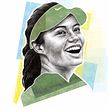


Combine the fundamentals of human anatomy and digital tools to create recognizable portraits with a personal and contemporary flair

With portraiture, you can capture the life story of your subject through the finer details the face gives away. Illustrator Paul Ryding combines anatomical study with digital tools to create portraits with a human element that no filter can replicate. He’s worked with clients including Facebook Forbes, Politico, and The Wall Street Journal.
In this course, he teaches you how to illustrate portraits with a personal and contemporary touch in Procreate. Use a photo reference as your guide to create realistic works of art on an iPad, with your own stylistic flair. Are you ready to take a digital dive into portraiture?
What will you learn in this online course?
15 lessons & 18 downloads


What's included in this course?
Begin the course by getting to know illustrator Paul Ryding. He talks through the creative career which led him to illustrate for some of the biggest publications in the world. Find out about the influences which inspire his work and take a look at what you can expect from the course.
Discover how to prepare a reference photo for your portrait. Paul guides you through mapping out your portrait’s features and adjusting settings like canvas size and opacity. Get an introduction to Procreate and its features, before experimenting with the pencil tool. Then learn how to combine several photos to create a unique reference image.
Time to start drawing! Begin by planning out the key elements of your photograph on the page before hearing Paul’s tips on understanding anatomy for a realistic-looking portrait. Draw the face of your subject with your reference photo as a guide, before moving on to the finer details like hair and shading. Give your artwork an artistic flair that makes it recognizably yours, experimenting with graphic elements, ink, and more.
Learn how to export your final illustration, ready for your professional portfolio. Then discover how to approach clients with your work and get hired for commissions. To finish the course, Paul shares his advice on copyright, contracts, and watermarks.
- 98% positive reviews (63)
- 2,011 students
- 15 lessons (2h 23m)
- 18 additional resources (5 files)
- Online and at your own pace
- Available on the app
- Audio: English
- English · Spanish · Portuguese · German · French · Italian · Polish · Dutch · Turkish · Romanian · Indonesian
- Level: Beginner
- Unlimited access forever
Recommended software & tools for this course
 Procreate
What is this course's project?
Create a modern digital portrait from a photo reference using an iPad and Procreate.

Projects by course students


Who is this online course for?
The course is for anyone with an interest in creating unique and realistic digital portraits on their iPad.
Requirements and materials
Experience with Procreate is required.
You will need an iPad with Procreate installed, as well as an Apple Pencil.

Reviews

Paul Ryding
A course by Paul Ryding
Paul Ryding is a Scottish illustrator based in Belfast. He always knew he wanted to be an illustrator and spent most of his youth drawing from photographs and magazines. He went on to study at Glasgow School of Art and had his work published in a magazine shortly after graduating. He spent the next few years honing his style before taking his career as an illustrator full-time in 2014.
Since then, Paul has worked with clients including Facebook, Forbes, Politico, and The Wall Street Journal. In 2020 he was commissioned by The Guardian to illustrate a series of long-form articles called “Lost to The Virus” about individuals who passed away from COVID-19. He also illustrated the cover for the best-selling book Trayvon Martin: Rest in Power.
Content
-
U1
Introduction
-
About Me
-
Influences
-
-
U2
Getting Ready to Draw
-
Preparing Your Source Material
-
Introduction to Procreate and the Pencil Tool
-
Franken-Drawing
-
-
U3
Mapping, Measuring, and Drawing the Face
-
Mapping the Photograph
-
Understanding Anatomy
-
Drawing the Face 1
-
Drawing the Face 2
-
Final Touches to the Face
-
Adding Graphic Elements
-
-
U4
Professional Practice Makes Perfect
-
Preparing Your File for Professional Use
-
Approaching Clients and Getting Hired 1
-
Approaching Clients and Getting Hired 2
-
Copyright and Contracts
-
-
FP
Final project
-
X Digital Realistic Portraiture
-
What to expect from a Domestika course
-
Learn at your own pace
Enjoy learning from home without a set schedule and with an easy-to-follow method. You set your own pace.
-
Learn from the best professionals
Learn valuable methods and techniques explained by top experts in the creative sector.
-
Meet expert teachers
Each expert teaches what they do best, with clear guidelines, true passion, and professional insight in every lesson.
-
Certificates
PlusIf you're a Plus member, get a custom certificate signed by your teacher for every course. Share it on your portfolio, social media, or wherever you like.
-
Get front-row seats
Videos of the highest quality, so you don't miss a single detail. With unlimited access, you can watch them as many times as you need to perfect your technique.
-
Share knowledge and ideas
Ask questions, request feedback, or offer solutions. Share your learning experience with other students in the community who are as passionate about creativity as you are.
-
Connect with a global creative community
The community is home to millions of people from around the world who are curious and passionate about exploring and expressing their creativity.
-
Watch professionally produced courses
Domestika curates its teacher roster and produces every course in-house to ensure a high-quality online learning experience.
FAQs
Yes, this course is designed for intermediate artists with some prior experience in drawing or digital illustration, looking to deepen their skills in portraiture and adapt traditional methods to digital workflows.
You will need an iPad Pro with Procreate, an Apple Pencil, a Paperlike screen cover (optional), and access to Adobe Photoshop. Basic drawing supplies are also useful for analogue exercises.
You’ll learn how to create expressive portraits by combining traditional and digital techniques, manage references, map facial features, use Procreate effectively, blend typography, and prepare artwork for professional presentation.
This course is best for those with some prior drawing or digital illustration experience. Absolute beginners may find it challenging, but motivated learners can still benefit.
You’ll learn step-by-step how to import, convert, and adjust photographic references in Procreate, including converting color photos to black and white and managing luminosity for accurate mapping.
The course covers mapping facial features, using anatomical guidelines, expressive brushwork, and blending techniques to accurately capture likeness and convey personality in your portraits.
You’ll explore workflows for scanning traditional sketches into Photoshop, refining them digitally, and integrating both analogue and digital methods to create unique, contemporary portraits.
 Procreate
J'aime vraiment cette formation. J'ai encore beaucoup à apprendre et à pratiquer mais j'apprécie le rythme et les informations pertinentes et les explications de Paul.
Great and useful tips!
Paul is a natural teacher. Very well done. I learned a lot. Exactly what I need to see to tackle projects on my own.
Excellent!!!!
EXCELENTE. muy motivante.
Un insegnante molto professionale, un ottimo corso! Mi ha aiutato a capire meglio Procreate in funzione della ritrattista.