Figurative Photocomposition with Photoshop
A course by Sergio Instanto, Photographer and Visual Artist


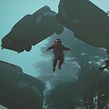
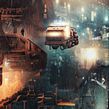

Learn to edit a creative photograph in Photoshop. Find out how to come up with ideas, compose elements, and adjust details to create powerful images.

Master the art of photocomposition with two figures in Photoshop. From conceptualization to the final execution, you'll learn advanced techniques in photography and digital editing.
You'll learn how to capture images in a studio, select the best photos, and correct imperfections. You'll also explore the manipulation of adjustment layers, adding accessories and textures, and creating realistic scenes with effects like fog and flares.
Once you master manual editing, I’ll also teach you how to use generative AI to achieve integrations and corrections with artificial intelligence.
Guided by Sergio Instanto, a photographer and visual artist, you'll gain the skills necessary to produce impactful and high-quality visual compositions.
What will you learn in this online course?
18 lessons & 24 downloads
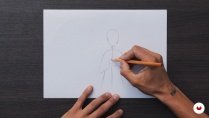
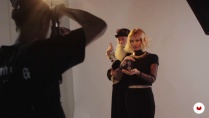
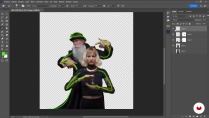
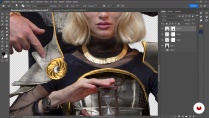
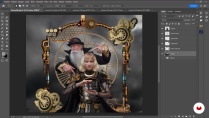
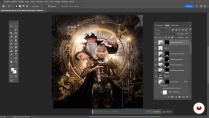
What's included in this course?
To start, you'll learn to generate and refine ideas by searching for stock images for your project.
Next, you'll dive into the shooting process and select the appropriate photos. Then, you'll use Photoshop to perfect the volume, posture, and details of your characters.
Finally, you'll create environments with effects and adjust the color and lighting, achieving a professional visual composition.
To finish, I'll also teach you how to use the new generative AI tools inside Photoshop.
- 100% positive reviews (6)
- 595 students
- 18 lessons (3h 57m)
- 24 additional resources (7 files)
- Online and at your own pace
- Available on the app
- Audio: Spanish, English
- Spanish · English · Portuguese · German · French · Italian · Polish · Dutch · Turkish · Romanian · Indonesian
- Level: Beginner
- Unlimited access forever
Recommended software & tools for this course
 Adobe Photoshop
What is this course's project?
The project involves creating a photocomposition that merges two figures into a single universe using advanced photography and Photoshop editing techniques. You will capture and select images, enhance details, and add effects to culminate in a dynamic visual piece.
Who is this online course for?
This course is aimed at photographers, graphic designers, and visual artists looking to improve their skills in photocomposition and digital editing.
It is also perfect for enthusiasts interested in exploring new creative techniques. No prior knowledge is required.
Requirements and materials
You will need a camera to capture your own images if you choose not to use stock images and have Photoshop installed. Additionally, having an adequate space for the photo shoot will be beneficial.
Reviews

Sergio Instanto
A course by Sergio Instanto
Sergio Instanto is a photographer and visual artist, renowned for his ability to create imaginary worlds through photography and digital art.
His style, influenced by audiovisual culture and Cyberpunk, blends sophistication and dynamism, standing out in figurative photocomposition.
Throughout his career, he has worked on Red Dragon campaigns, the visual identity of Katie Angel, and concept arts for Free Fire, as well as collaborating with brands like Adobe.
Content
-
U1
Introduction
-
Presentation
-
Influences
-
-
U2
The idea
-
Idea and references
-
Image search
-
Photoshoot
-
-
U3
aesthetic treatment
-
Image selection and sketch
-
Posture correction and structural volume
-
Cosmetic cleaning
-
Hair, beard and texture
-
Intention and volume
-
-
U4
Work the stage
-
Enhance the figures
-
Create scenario 1
-
Create scenario 2
-
Work the color
-
Coloring with flares and final adjustments
-
-
U5
Expanding our universe with Artificial Intelligence
-
Integration of borders, fillings and aesthetic complements in figures and backgrounds
-
Generating elements in our image with Generative AI P1
-
Generating elements in our image with Generative AI P2
-
-
FP
Final project
-
Figurative Photocomposition with Photoshop
-
What to expect from a Domestika course
-
Learn at your own pace
Enjoy learning from home without a set schedule and with an easy-to-follow method. You set your own pace.
-
Learn from the best professionals
Learn valuable methods and techniques explained by top experts in the creative sector.
-
Meet expert teachers
Each expert teaches what they do best, with clear guidelines, true passion, and professional insight in every lesson.
-
Certificates
PlusIf you're a Plus member, get a custom certificate signed by your teacher for every course. Share it on your portfolio, social media, or wherever you like.
-
Get front-row seats
Videos of the highest quality, so you don't miss a single detail. With unlimited access, you can watch them as many times as you need to perfect your technique.
-
Share knowledge and ideas
Ask questions, request feedback, or offer solutions. Share your learning experience with other students in the community who are as passionate about creativity as you are.
-
Connect with a global creative community
The community is home to millions of people from around the world who are curious and passionate about exploring and expressing their creativity.
-
Watch professionally produced courses
Domestika curates its teacher roster and produces every course in-house to ensure a high-quality online learning experience.
FAQs
You’ll learn how to create conceptual images, retouch portraits, design characters and scenes, master composition techniques, special effects, and use AI tools for advanced Photoshop editing.
Yes, this course is aimed at people with an intermediate level, perfect if you already have basic experience in photography and Photoshop.
Basic Photoshop knowledge is recommended, as the course dives into intermediate and advanced editing and composition techniques.
You’ll need a computer with Photoshop installed and preferably a digital camera or access to image libraries to practice the techniques taught.
You’ll be able to create conceptual compositions, artistic portraits, music cover art, video game skins, steampunk images, and visuals inspired by manga and cosplay.
Yes, you’ll learn to use generative AI tools and content-aware fill to speed up editing and enhance your visual compositions.
Yes, the course covers advanced skin retouching, blemish removal, hair and beard texturing, and non-destructive cosmetic retouching.
 Adobe Photoshop
Perfect course with an excellent instructor! I am thrilled and I RECOMMEND
Bon professeur. J'aime le cours
excelente curso
He realizado varios cursos de photoshop y lo que me gusta de este es explorar las ideas en si y probar lo aprendido tanto aqui como otros sitios.
Destacaría la idea, explorar alternativas como editar fotos estudio o de internet y herramientas de paginas.
exelente curso