Turn images and videos into epic scenes with AI: NanoBanana, Veo3 and Luma
A course by Diego Velasquez
, Director, MAKACO Animation and VFX Studio





Learn to create and edit epic images with artificial intelligence using Google Gemini and advanced animation tools

Discover the fascinating world of Artificial Intelligence applied to image creation and editing. Learn to use Google Gemini, also known as Nano Banana, to transform your own photos or generate images from scratch. Experiment with the possibility of converting video frames into epic scenes that then come to life with movement, using innovative tools like Dreamlabs or Veo3. Immerse yourself in a creative process where each frame is transformed into a unique work of art.
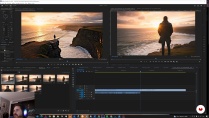
Explore the potential of these tools with a practical and straightforward approach. From extracting a still image with basic editing software to applying stunning effects that alter light or background, this course offers a comprehensive experience. Discover the possibilities of modifying images to create fantastical scenarios and how to add dynamism to your creations. An opportunity to create unique visual narratives, harnessing the power of AI to bring your ideas to life.
What will you learn in this online course?
8 lessons & 1 download
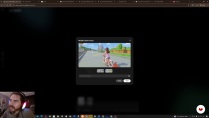
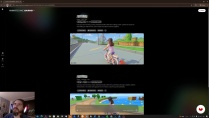
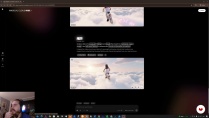
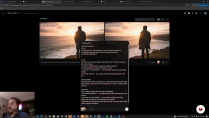
- 100% positive reviews (4)
- 512 students
- 8 lessons (1h 43m)
- 1 download
- Online and at your own pace
- Available on the app
- Audio: Spanish, German, English, French, Indonesian, Italian, Dutch, Polish, Portuguese, Romanian, Turkish
- Spanish · English · Indonesian · French · Romanian · Polish · Italian · German · Turkish · Dutch · Portuguese
- Level: Beginner
- Unlimited access forever
Recommended software & tools for this course
 Nano Banana
 Veo3
Veo3What is this course's project?
You'll learn to create and edit images with Google Gemini and Nano Banana, turning video scenes into epic illustrations. Then, you'll bring your creations to life with motion using tools like Dreamlabs and Veo3, achieving stunning visual results.
Who is this online course for?
This course is ideal for creatives, graphic designers, videographers, and artificial intelligence enthusiasts who want to explore innovative editing and visual creation techniques using advanced tools like Google Gemini and Luma Labs to transform and animate images in amazing ways.
Requirements and materials
Extensive prior knowledge isn't required, but Veo3 and Luma Labs accounts are essential, along with basic video editing software for extracting still frames. Many free online options are available to meet this requirement.
Reviews

Diego Velasquez
A course by Diego Velasquez
Passionate about art and science, Diego Velásquez of Peru discovered 3D animation to be the perfect combination of mathematics, drawing, and storytelling, establishing a professional career focused on the cinema and advertising industries.
In 2011, he founded MAKACO, a studio dedicated to the post-production of 3D animation and special effects. He has won several international awards, including gold for Best Foreign Language Commercial and bronze for Branded Entertainment of the Year at the Shots Awards.
Content
-
Turn images and videos into epic scenes with AI: NanoBanana, Veo3 and Luma
-
Course Introduction and Objectives
-
Creating and modifying images with Google Gemini
-
Getting started with Dreamlabs and video editing
-
Generation from image and flow of ideas with Luma
-
Troubleshooting and advanced settings
-
Animation and narrative with Veo 3.1
-
Editing, continuity and assembly
-
Closing and creative projection
-
Final project
-
What to expect from a Domestika course
-
Learn at your own pace
Enjoy learning from home without a set schedule and with an easy-to-follow method. You set your own pace.
-
Learn from the best professionals
Learn valuable methods and techniques explained by top experts in the creative sector.
-
Meet expert teachers
Each expert teaches what they do best, with clear guidelines, true passion, and professional insight in every lesson.
-
Certificates
PlusIf you're a Plus member, get a custom certificate signed by your teacher for every course. Share it on your portfolio, social media, or wherever you like.
-
Get front-row seats
Videos of the highest quality, so you don't miss a single detail. With unlimited access, you can watch them as many times as you need to perfect your technique.
-
Share knowledge and ideas
Ask questions, request feedback, or offer solutions. Share your learning experience with other students in the community who are as passionate about creativity as you are.
-
Connect with a global creative community
The community is home to millions of people from around the world who are curious and passionate about exploring and expressing their creativity.
-
Watch professionally produced courses
Domestika curates its teacher roster and produces every course in-house to ensure a high-quality online learning experience.
FAQs
Domestika courses are online classes that allow you to learn new skills and create incredible projects. All our courses include the opportunity to share your work with other students and/or teachers, creating an active learning community. We offer different formats:
Original Courses: Complete classes that combine videos, texts, and educational materials to complete a specific project from start to finish.
Basics Courses: Specialized training where you master specific software tools step by step.
Specialization Courses: Learning paths with various expert teachers on the same topic, perfect for becoming a specialist by learning from different approaches.
Guided Courses: Practical experiences ideal for directly acquiring specific skills.
Intensive Courses (Deep Dives): New creative processes based on artificial intelligence tools in an accessible format for in-depth and dynamic understanding.
All deep dive courses are 100% online, so once they're published, deep dive courses start and finish whenever you want. You set the pace of the class. You can go back to review what interests you most and skip what you already know, ask questions, answer questions, share your projects, and more.
The deep dive courses are divided into different modules. Each one includes lessons, informational text, tasks, and practice exercises to help you carry out your project step by step, with additional complementary resources and downloads. You'll also have access to an exclusive forum where you can interact with other students, as well as share your work and your final project, creating a community around the deep dive courses.
You can redeem the deep dive courses you received by accessing the redeeming page and entering your gift code.
 Nano Banana
 Veo3
Veo3
I love all courses from this teacher! Thanks!
Excelente
Excelente explicacion!!! he aprendido cosas nuevas sobre estas herramientas de inteligencia artifical
Muy buen curso, explica todo bastante bien y se puede seguir perfectamente.