Turn Briefings into Professional Moodboards with AI
A course by Jaime Sanjuan Ocabo
, Digital Painter and Illustrator
Digital Painter and Illustrator.
Zaragoza, Spain.
Joined December 2013
-
-

-


Joined December 2013

Transform client briefings into professional moodboards using AI for design strategy, visual direction, branding and illustration
Joined December 2013

Learn how to turn messy, half‑formed client requests into moodboards that actually make sense — with AI helping you, not replacing you.
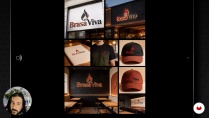
In this course, illustrator and teacher Jaime Sanjuan walks you through how he reads a briefing the way an art director would, then turns it into a visual direction he can stand behind in a client meeting. You’ll work on three practical projects: a cultural poster, a cosmetic launch, and the full visual identity for a restaurant.
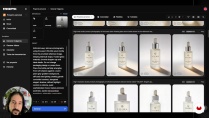
With ChatGPT and Freepik, you’ll break down briefings, pull out the ideas that matter, look for references, choose color, composition, lighting and style, and build moodboards that feel coherent and intentional. You’ll also learn how to write a short presentation that explains your design choices without sounding vague or overblown.
It’s made for illustrators, graphic designers, art directors and creatives who want to show their work with more confidence and use AI as a useful part of their design process.
What will you learn in this online course?
6 lessons & 3 downloads
- 87 students
- 6 lessons (1h 51m)
- 3 additional resources (2 files)
- Online and at your own pace
- Available on the app
- Audio: Spanish, German, English, French, Italian, Polish, Portuguese
- Spanish · English · Italian · Portuguese · French · Polish · German
- Level: Beginner
- Unlimited access forever
 ChatGPT
 Freepik
Who is this online course for?
For illustrators, graphic designers, art directors, freelancers, and students who want to actually make sense of client briefs, build moodboards that don’t fall apart, use AI as a real tool (not a gimmick), present ideas with confidence, and get comfortable working on real projects
Requirements and materials
You don't need much experience. If you understand the basics of images or design, have a computer with internet, can chat with an AI tool, use an image bank, and put together a simple moodboard or visual layout, you're set.

Jaime Sanjuan Ocabo
A course by Jaime Sanjuan Ocabo
Jaime Sanjuán is a digital designer, illustrator, and painter. He studied fine art at the University of Castilla-La Mancha, Spain, where he learned traditional artistic techniques such as oil painting, pastels, clay modeling, etc. However, he decided to swap his brushes and studio for an iPad and the Procreate app, which give him the possibility to explore countless techniques without needing much space and using only his fingers.
Jaime has always been fascinated by realist and hyperrealist painting. It's this aesthetic that he always seeks in his paintings and illustrations, which are full of double meanings and impossible realities. This very particular vision and a highly refined technique have earned him international recognition such as the Communication Arts Award, the American Illustration Award, and the Latin American Illustration Award, enabling him to see his work exhibited in galleries and museums around the world.
Content
-
Turn Briefings into Professional Moodboards with AI
-
Turning a real brief inside out: from a message to a visual plan
-
Visual direction for a cultural event poster
-
Visual direction for a cosmetic launch campaign
-
Visual Identity for a Restaurant: From Briefing to Brand Cohesion
-
Turn your moodboard into something client‑ready
-
Wrapping up: method, strategy, and what comes next
-
Final project
-
What to expect from a Domestika course
-
Learn at your own pace
Enjoy learning from home without a set schedule and with an easy-to-follow method. You set your own pace.
-
Learn from the best professionals
Learn valuable methods and techniques explained by top experts in the creative sector.
-
Meet expert teachers
Each expert teaches what they do best, with clear guidelines, true passion, and professional insight in every lesson.
-
Certificates
PlusIf you're a Plus member, get a custom certificate signed by your teacher for every course. Share it on your portfolio, social media, or wherever you like.
-
Get front-row seats
Videos of the highest quality, so you don't miss a single detail. With unlimited access, you can watch them as many times as you need to perfect your technique.
-
Share knowledge and ideas
Ask questions, request feedback, or offer solutions. Share your learning experience with other students in the community who are as passionate about creativity as you are.
-
Connect with a global creative community
The community is home to millions of people from around the world who are curious and passionate about exploring and expressing their creativity.
-
Watch professionally produced courses
Domestika curates its teacher roster and produces every course in-house to ensure a high-quality online learning experience.
FAQs
Domestika courses are online classes that allow you to learn new skills and create incredible projects. All our courses include the opportunity to share your work with other students and/or teachers, creating an active learning community. We offer different formats:
Original Courses: Complete classes that combine videos, texts, and educational materials to complete a specific project from start to finish.
Basics Courses: Specialized training where you master specific software tools step by step.
Specialization Courses: Learning paths with various expert teachers on the same topic, perfect for becoming a specialist by learning from different approaches.
Guided Courses: Practical experiences ideal for directly acquiring specific skills.
Intensive Courses (Deep Dives): New creative processes based on artificial intelligence tools in an accessible format for in-depth and dynamic understanding.
All deep dive courses are 100% online, so once they're published, deep dive courses start and finish whenever you want. You set the pace of the class. You can go back to review what interests you most and skip what you already know, ask questions, answer questions, share your projects, and more.
The deep dive courses are divided into different modules. Each one includes lessons, informational text, tasks, and practice exercises to help you carry out your project step by step, with additional complementary resources and downloads. You'll also have access to an exclusive forum where you can interact with other students, as well as share your work and your final project, creating a community around the deep dive courses.
You can redeem the deep dive courses you received by accessing the redeeming page and entering your gift code.
 ChatGPT
 Freepik