Natural Portrait Retouching in Affinity
A course by Kayleigh June
, Retoucher and Beauty Photographer


Learn natural portrait retouching in Affinity using non-destructive tools, skin retouch, dodging, burning, color grading

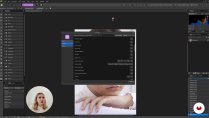
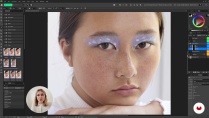
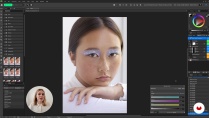
This course shows you a practical, natural way to retouch portraits in Affinity. It’s meant for photographers and retouchers who want clean, realistic edits without that plastic look. You’ll work through the full process — opening the RAW file, fixing exposure, cleaning up skin, shaping light, adjusting color, and exporting the final image.
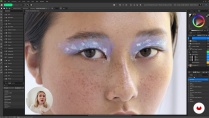
Along the way, you set up non‑destructive layers and get comfortable with tools like the Healing Brush, Clone Brush, Curves, Dodge and Burn, Selective Color, Color Balance, and Levels. You’ll learn how to remove small distractions without wiping out natural texture, freckles, or the character in someone’s face. The lessons call out common mistakes too, like over‑smoothing or heavy under‑eye fixes, so you know what to avoid.
By the end, you’ll have a simple editing routine you can repeat for natural skin work, eye cleanup, makeup refinement, and gentle color grading—useful for beauty, fashion, and lifestyle portraits.
What will you learn in this online course?
6 lessons & 2 downloads
- 43 students
- 6 lessons (1h 10m)
- 2 additional resources (1 files)
- Online and at your own pace
- Available on the app
- Audio: English, Spanish
- English · Spanish
- Level: Beginner
- Unlimited access forever
Recommended software & tools for this course
 Affinity Photo
Who is this online course for?
Portrait photographers who want clean, natural edits in Affinity, retouchers switching their workflow to this software, visual creators polishing client or personal portraits without making them look overdone, and photography enthusiasts who handle a camera well and want to level up their post‑production skills.
Requirements and materials
You don’t need much experience. If you’ve used Affinity or a similar editor before and know what layers and RAW files are, you’re good to go. Just make sure Affinity is installed on your computer and have a mouse or trackpad handy. A graphics tablet helps, but it’s not required.

Kayleigh June
A course by Kayleigh June
Kayleigh is a beauty photographer and retoucher based between Sydney and Melbourne, Australia. Discovering photography at the young age of 15, over the years, Kayleigh has developed a style to reflect her interest in the latest trends of makeup and beauty, using vivid tones and distinct lighting to differentiate her work.
Her passion and drive to succeed in the industry has also led her to take on a role of educator, creating a YouTube photography and retouching tutorial channel, amassing over 80K subscribers. Kayleigh appreciates and strives to show diversity in everything that she creates, making her work recognizable to many.
Content
-
Natural Portrait Retouching in Affinity
-
Introduction
-
Essential tools and editing processes
-
RAW Processing and Setting up Your Retouching Layers
-
Retouching Skin, Stray Hairs and Other Elements
-
Colour grading and exporting
-
Do's and Don'ts
-
Final project
-
What to expect from a Domestika course
-
Learn at your own pace
Enjoy learning from home without a set schedule and with an easy-to-follow method. You set your own pace.
-
Learn from the best professionals
Learn valuable methods and techniques explained by top experts in the creative sector.
-
Meet expert teachers
Each expert teaches what they do best, with clear guidelines, true passion, and professional insight in every lesson.
-
Certificates
PlusIf you're a Plus member, get a custom certificate signed by your teacher for every course. Share it on your portfolio, social media, or wherever you like.
-
Get front-row seats
Videos of the highest quality, so you don't miss a single detail. With unlimited access, you can watch them as many times as you need to perfect your technique.
-
Share knowledge and ideas
Ask questions, request feedback, or offer solutions. Share your learning experience with other students in the community who are as passionate about creativity as you are.
-
Connect with a global creative community
The community is home to millions of people from around the world who are curious and passionate about exploring and expressing their creativity.
-
Watch professionally produced courses
Domestika curates its teacher roster and produces every course in-house to ensure a high-quality online learning experience.
FAQs
Domestika courses are online classes that allow you to learn new skills and create incredible projects. All our courses include the opportunity to share your work with other students and/or teachers, creating an active learning community. We offer different formats:
Original Courses: Complete classes that combine videos, texts, and educational materials to complete a specific project from start to finish.
Basics Courses: Specialized training where you master specific software tools step by step.
Specialization Courses: Learning paths with various expert teachers on the same topic, perfect for becoming a specialist by learning from different approaches.
Guided Courses: Practical experiences ideal for directly acquiring specific skills.
Intensive Courses (Deep Dives): New creative processes based on artificial intelligence tools in an accessible format for in-depth and dynamic understanding.
All deep dive courses are 100% online, so once they're published, deep dive courses start and finish whenever you want. You set the pace of the class. You can go back to review what interests you most and skip what you already know, ask questions, answer questions, share your projects, and more.
The deep dive courses are divided into different modules. Each one includes lessons, informational text, tasks, and practice exercises to help you carry out your project step by step, with additional complementary resources and downloads. You'll also have access to an exclusive forum where you can interact with other students, as well as share your work and your final project, creating a community around the deep dive courses.
You can redeem the deep dive courses you received by accessing the redeeming page and entering your gift code.
 Affinity Photo