Artificial Intelligence in Logic Pro: Speed Up Your Music Production
A course by Juan Salazar , Composer and music producer


Integrate AI, Logic Pro, stems, drums, bass, keyboards for faster music production, editing, arrangement, creative decisions

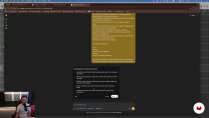
Learn how to bring AI into your Logic Pro workflow without feeling like you’ve handed the wheel to a robot. In this course, you’ll work in Logic Pro 12 and use ChatGPT as a practical helper to speed up decisions, tighten arrangements, and try new ideas with stems.
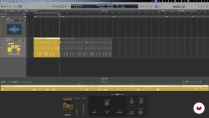
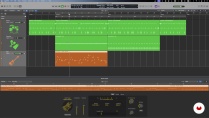
You’ll turn a language model into a handy Logic Pro assistant you can lean on when you’re stuck in the manual or dealing with plugin quirks, shortcuts, routing puzzles, or messy sessions. After that, you’ll try out AI‑driven drums, percussion, basses, pianos, and synths to sketch out funk grooves, rhythms, and harmonic progressions that still feel like a person played them and stay fully editable.
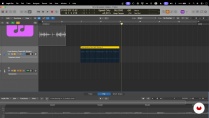
You’ll also dig into stem separation in Logic Pro. Pull out drums, bass, vocals, guitar, piano, or whatever else from a stereo mix, study how they sound and sit in time, and reuse that audio as raw material for new tracks or remixes.
By the end, you’ll have a quicker, clearer way of working in Logic Pro, a sense of where AI actually helps in sound design, mixing, and writing, and tools you can put to use right away.
What will you learn in this online course?
4 lessons & 5 downloads
- 11 students
- 4 lessons (55m)
- 5 additional resources (1 files)
- Online and at your own pace
- Available on the app
- Audio: Spanish, German, English, Italian, Portuguese
- Spanish · English · Portuguese · German · French · Italian · Polish · Dutch · Turkish · Romanian · Indonesian
- Level: Beginner
- Unlimited access forever
Recommended software & tools for this course
 ChatGPT
 Logic Pro X
Who is this online course for?
For producers, beatmakers, composers, and anyone working in Logic Pro who wants to bring AI into their everyday workflow. If you want to get the boring technical stuff out of the way faster, tighten up your mixes and arrangements, or just play around with virtual players and stems without losing your own style, this course is for you.
Requirements and materials
You just need basic music‑production skills and enough experience with Logic Pro to set up projects, tracks, instruments, and plugins. You don’t need any deep background in AI — curiosity and a willingness to try conversational assistants are enough.

Juan Salazar
A course by Juan Salazar
Juan José Salazar, composer and music producer, finds Logic Pro an essential tool for his creative process. With a passion for audio and music, he has explored and created countless pieces for both audiovisuals and artists. Discovering in Logic Pro a way to complete learning in music production, he has successfully explored editing, production, musical arrangement and instrumentation, all within this platform. His practical and efficient approach to music production has led him to value the versatility of Logic Pro to develop quality content in a single software.
Content
-
Artificial Intelligence in Logic Pro: Speed Up Your Music Production
-
LLMs as Production Support in Logic Pro
-
Using AI drums and percussion to build a groove
-
Bass, Pianos, and Keyboards: Harmonic Accompaniment With Intelligent Tools
-
Separating stems for creative reuse
-
Final project
-
What to expect from a Domestika course
-
Learn at your own pace
Enjoy learning from home without a set schedule and with an easy-to-follow method. You set your own pace.
-
Learn from the best professionals
Learn valuable methods and techniques explained by top experts in the creative sector.
-
Meet expert teachers
Each expert teaches what they do best, with clear guidelines, true passion, and professional insight in every lesson.
-
Certificates
PlusIf you're a Plus member, get a custom certificate signed by your teacher for every course. Share it on your portfolio, social media, or wherever you like.
-
Get front-row seats
Videos of the highest quality, so you don't miss a single detail. With unlimited access, you can watch them as many times as you need to perfect your technique.
-
Share knowledge and ideas
Ask questions, request feedback, or offer solutions. Share your learning experience with other students in the community who are as passionate about creativity as you are.
-
Connect with a global creative community
The community is home to millions of people from around the world who are curious and passionate about exploring and expressing their creativity.
-
Watch professionally produced courses
Domestika curates its teacher roster and produces every course in-house to ensure a high-quality online learning experience.
FAQs
Domestika courses are online classes that allow you to learn new skills and create incredible projects. All our courses include the opportunity to share your work with other students and/or teachers, creating an active learning community. We offer different formats:
Original Courses: Complete classes that combine videos, texts, and educational materials to complete a specific project from start to finish.
Basics Courses: Specialized training where you master specific software tools step by step.
Specialization Courses: Learning paths with various expert teachers on the same topic, perfect for becoming a specialist by learning from different approaches.
Guided Courses: Practical experiences ideal for directly acquiring specific skills.
Intensive Courses (Deep Dives): New creative processes based on artificial intelligence tools in an accessible format for in-depth and dynamic understanding.
All deep dive courses are 100% online, so once they're published, deep dive courses start and finish whenever you want. You set the pace of the class. You can go back to review what interests you most and skip what you already know, ask questions, answer questions, share your projects, and more.
The deep dive courses are divided into different modules. Each one includes lessons, informational text, tasks, and practice exercises to help you carry out your project step by step, with additional complementary resources and downloads. You'll also have access to an exclusive forum where you can interact with other students, as well as share your work and your final project, creating a community around the deep dive courses.
You can redeem the deep dive courses you received by accessing the redeeming page and entering your gift code.
 ChatGPT
 Logic Pro X