AI Cinematic Architecture Reels: From Still Render to Client-Ready Walkthrough
A course by Mohamed Abdellatif
, Architect, Urban Designer and Writer

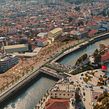

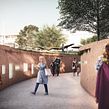

Turn architectural renders into cinematic vertical reels using AI tools like Midjourney, Kling, ChatGPT, Gemini, CapCut

This course shows you how to take a single architectural render and turn it into a short, cinematic reel. You’ll learn to shape a solid base image in Midjourney, push it into new camera angles with ChatGPT Image 2 and Magnific, and pull everything together with a moodboard and a simple shot plan.
Once the visuals are ready, you’ll bring them into Kling to give the scenes movement—camera drift, small pushes, smoother pacing—enough to make the space feel alive even though it began as a still.
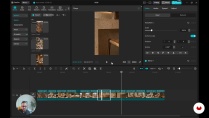
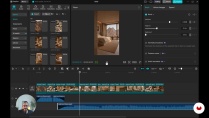
The final pass happens in CapCut, where you trim the fluff, tighten the timing, match cuts to the track, and export a clean 30–45‑second reel ready for Instagram or TikTok. A custom GPT is included to help you write solid animation prompts and choose music that fits the project.
It’s made for architects, interior designers, 3D artists, and content creators who want to move from static images to simple, cinematic video without diving into heavy 3D animation pipelines.
What will you learn in this online course?
6 lessons & 3 downloads
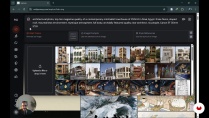
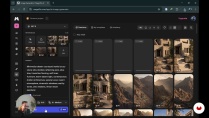
- 11 students
- 6 lessons (59m)
- 3 additional resources (1 files)
- Online and at your own pace
- Available on the app
- Audio: English, German, Spanish, Italian, Portuguese
- English · Spanish · German · Italian · Portuguese
- Level: Beginner
- Unlimited access forever
Recommended software & tools for this course
 Gemini
 Kling O1
 Magnific
 Midjourney
What is this course's project?
Create a captivating 30-45 second cinematic architectural reel from a single image, transforming it into an engaging visual narrative using AI tools. Master generating views, designing shot lists, animating scenes, and editing for a seamless, professional video.
Who is this online course for?
Architects, interior designers, 3D artists, real‑estate visualizers, content creators, creative directors, and design students who want to turn still images into short, cinematic AI‑made reels. It’s also for anyone visually curious who wants a fresh way to show spatial work on social media.
Requirements and materials
You don’t need much background for this. Knowing your way around digital images, simple AI tools, and any basic video editor is enough. Bring one architectural photo or render, a steady internet connection, and trial accounts for Kling, Midjourney, CapCut, ChatGPT, or similar tools if you already have them.

Mohamed Abdellatif
A course by Mohamed Abdellatif
Tifa (Mohamed Abdellatif) is an award-winning architect, urban designer, and writer from Egypt, currently based in Hong Kong. He is the founder of Tifa Studio, a collaborative atelier that develops conceptual architectural projects alongside an interdisciplinary professional practice. With a strong passion for architectural education, Tifa has published more than ten e-books—among them Site Analysis E-book, The Concept E-book, and Creativity Exercises E-book—which have been downloaded over 100,000 times and featured on leading architectural platforms.
He holds two master’s degrees in Architecture and Urban Design from Istanbul Technical University and is currently pursuing his PhD at PolyU in Hong Kong. Dedicated to knowledge-sharing, Tifa creates content, workshops, and courses that support architecture students and professionals worldwide. His work particularly focuses on architectural representation and the conceptual phase of the design process, encouraging creativity, critical thinking, and innovative approaches to contemporary practice.
Content
-
AI Cinematic Architecture Reels: From Still Render to Client-Ready Walkthrough
-
From a single render to a full cinematic shot
-
Creating Views and Building the Moodboard
-
Designing the Shot List: Exterior to Interior
-
Animating shots in Kling
-
Editing the reel and shaping the music
-
Syncing, polishing, and exporting the final reel
-
Final project
-
What to expect from a Domestika course
-
Learn at your own pace
Enjoy learning from home without a set schedule and with an easy-to-follow method. You set your own pace.
-
Learn from the best professionals
Learn valuable methods and techniques explained by top experts in the creative sector.
-
Meet expert teachers
Each expert teaches what they do best, with clear guidelines, true passion, and professional insight in every lesson.
-
Certificates
PlusIf you're a Plus member, get a custom certificate signed by your teacher for every course. Share it on your portfolio, social media, or wherever you like.
-
Get front-row seats
Videos of the highest quality, so you don't miss a single detail. With unlimited access, you can watch them as many times as you need to perfect your technique.
-
Share knowledge and ideas
Ask questions, request feedback, or offer solutions. Share your learning experience with other students in the community who are as passionate about creativity as you are.
-
Connect with a global creative community
The community is home to millions of people from around the world who are curious and passionate about exploring and expressing their creativity.
-
Watch professionally produced courses
Domestika curates its teacher roster and produces every course in-house to ensure a high-quality online learning experience.
FAQs
This course is designed for beginners, specifically architects, interior designers, 3D artists, real-estate visualizers, content creators, creative directors, design students, and anyone interested in turning still images into cinematic AI-made reels for social media or client presentations.
No advanced experience is required. Basic familiarity with digital images, simple AI tools, and any basic video editor is enough to get started with this beginner-level course.
You will need one architectural photo or render, a steady internet connection, and trial accounts for tools like Kling, Midjourney, CapCut, ChatGPT, or similar platforms if you already have them.
You will learn how to transform a single still render into a 30–45 second vertical cinematic reel, plan scenes, animate images with Kling, edit videos in CapCut, and create custom AI-generated music, resulting in client-ready or social media-ready walkthroughs.
The course guides you through using AI tools to animate still images, plan visual stories, refine prompts, and edit scenes into dynamic walkthrough videos that enhance architectural presentations.
Yes, you are encouraged to bring your own architectural photo or render to use throughout the course as the basis for your cinematic reel project.
The course covers AI tools like Midjourney for image generation, Kling for animation, ChatGPT and Gemini for prompt refinement and music creation, and CapCut for video editing.
 Gemini
 Kling O1
 Magnific
 Midjourney