Artistic Illustration with Experimental Techniques
A course by Javier Casas "Moscko", Graphic designer and illustrator


Learn digital and analog techniques to fill your creations with expression

To achieve unique illustrations it is essential to let your imagination fly and experiment with different techniques, both digital and analog. Javier Casas - better known as Moscko - is a graphic designer by profession and illustrator at heart who finds in the experimentation the key elements to create his works. With more than 10 years of experience developing projects for clients such as Bogoshorts, Okan Project and Index Studies and visual art projects reviewed in magazines such as Bacánika or Inkygoodness, in this course, Javier will share all his secrets.
You will learn to develop artistic skills to create fantastic digital illustrations, from the idea approach, through concept maps, reference analysis and search, to the creation of graphic material. You will learn analog and digital experimentation techniques, to create an image with which to explore all its visual possibilities and reproduce it in a high quality print.
What will you learn in this online course?
14 lessons & 16 downloads
What's included in this course?
You will start by knowing Javier Casas "Moscko". He will tell you how art has been present since his childhood, developing his interest in the visual world. You will discover its main references among illustrators, traditional, experimental and modern artists.
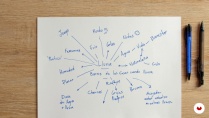
You will make a first approach to artistic illustration, where through an introspective exercise you will learn to identify your tastes and motivations to develop an illustration with your personal footprint. According to the elements you will find in this exercise, you will create a concept using mind maps and brainstorming.
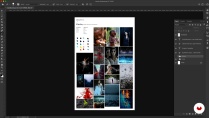
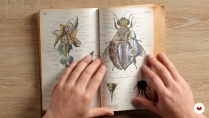
You will continue with the creation of a mood board that will nurture artists, illustrations, photographs and keywords that will serve as references of composition, color, typography and style. The goal is to help you better understand your concept and communicate it. Then, you will start your search for graphic treasures and own material, to generate a library of elements for your project.
You will learn to create your own graphic resources and use them in your illustrations by experimenting with materials to create textures. Next, you will perform a graphic exploration by making simple sketches and scribbles.
Then, you will start composing by cutting, combining and editing images to give structure to your piece; In this way, you will create a basic composition to see the arrangement of the elements and also, you will review the visual possibilities offered by the gray scale, among other options.
From Javier's hand you will experiment with more Photoshop tools, effects and filters. Also with fonts, lines, shapes, brushes and colors, among other graphic resources that will give your illustration a special style. Once finished, you will play a little more evaluating other possibilities - at the chromatic and compositional level.
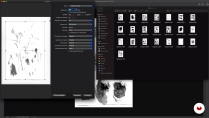
Finally, you will learn what printing is how [i]glicée (or high quality) works so that you print your piece, sign it and frame it as a true work of art.
- 99% positive reviews (108)
- 1,734 students
- 14 lessons (1h 49m)
- 16 additional resources (7 files)
- Online and at your own pace
- Available on the app
- Audio: Spanish
- Spanish · English · Portuguese · German · Italian · French · Polish · Dutch · Turkish · Romanian · Indonesian
- Level: Beginner
- Unlimited access forever
Recommended software & tools for this course
 Adobe Photoshop
What is this course's project?
You will create an experimental image or illustration, which you will print in high quality (giclee).

Projects by course students


Who is this online course for?
To designers, illustrators, artists and anyone interested in experimenting with digital techniques.
Requirements and materials
You will need basic knowledge of illustration and management of Adobe Photoshop.
On the materials, you will need a computer with Photoshop installed, a graphics tablet, a scanner (or camera) to digitize the material, and also watercolor or cardboard paper, brushes, acrylics, black ink and watercolors.

Reviews

Javier Casas "Moscko"
A course by Javier Casas "Moscko"
Javier Casas, better known as "Moscko", studied graphic design at the Jorge Tadeo Lozano University in Bogotá (Colombia). Since he has memory he draws and never lost his habit. During his academic training as a designer he always had a particular interest in illustration as a language or communication element.
Since 2010 he works in his own studio creating creative strategies through design, illustration and painting for companies, agencies, magazines, studios, digital media and videogames. His academic training has given him an interpretation and personal appropriation of the image, about which he tries to leave his mark. Currently, more than a graphic designer, illustrator or artist, he defines himself as a creator of visual dreams.
Content
-
U1
Introduction
-
Presentation
-
Influences
-
What will we do in the course?
-
-
U2
Approach to artistic illustration
-
Who I am and what I want to tell
-
Concept maps and brainstorming
-
Visual References / Moodboard
-
Search for our own treasures
-
-
U3
Experimentation and creation: the digital and the artistic
-
Creating my own resources in analog (Manoshop)
-
Digital sketching and doodles
-
Cut, combine and edit
-
Digital experimentation
-
Cake Cherries / Adding Additional Resources
-
-
U4
Artistic reproduction
-
Play with your image
-
High quality printing tips
-
-
FP
Final project
-
x Artistic experimental illustration techniques
-
What to expect from a Domestika course
-
Learn at your own pace
Enjoy learning from home without a set schedule and with an easy-to-follow method. You set your own pace.
-
Learn from the best professionals
Learn valuable methods and techniques explained by top experts in the creative sector.
-
Meet expert teachers
Each expert teaches what they do best, with clear guidelines, true passion, and professional insight in every lesson.
-
Certificates
PlusIf you're a Plus member, get a custom certificate signed by your teacher for every course. Share it on your portfolio, social media, or wherever you like.
-
Get front-row seats
Videos of the highest quality, so you don't miss a single detail. With unlimited access, you can watch them as many times as you need to perfect your technique.
-
Share knowledge and ideas
Ask questions, request feedback, or offer solutions. Share your learning experience with other students in the community who are as passionate about creativity as you are.
-
Connect with a global creative community
The community is home to millions of people from around the world who are curious and passionate about exploring and expressing their creativity.
-
Watch professionally produced courses
Domestika curates its teacher roster and produces every course in-house to ensure a high-quality online learning experience.
FAQs
You’ll learn how to blend illustration and graphic design techniques, create both personal and commercial visual projects, develop mood boards, digitize your resources, experiment with textures, collage, and digital composition, and prepare your illustrations for professional printing.
This isn’t a course for complete beginners; it’s designed for those with basic to intermediate skills in graphic design or illustration who want to deepen their knowledge and experiment with new creative and digital techniques.
It’s recommended to have a basic understanding of illustration or experience with programs like Photoshop. Having access to drawing materials, a scanner, and a computer with digital editing software will also be helpful.
You’ll need a computer with Photoshop and Corel Painter, a scanner or digital camera, pencils, inks, various papers, and graphic resources (books, photos, etc.) to create and digitize your own materials.
By the end, you’ll be able to create experimental illustrations, digital magazine layouts, video game interfaces, digital collages, and artworks ready for printing and gallery display.
Yes, the course combines traditional and digital illustration techniques, including scanning, Photoshop editing, creating handmade textures, and managing your own graphic resources.
You’ll learn how to gather, organize, and analyze visual references using mood boards, concept maps, and platforms like Pinterest to enrich your creative ideas.
 Adobe Photoshop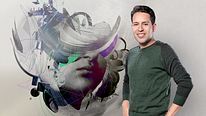
Very inspiring, lots of ideas and some cool techniques to try on my own. Very enjoyable course, very passionate instructor!
De manera muy simple pero professional te explica herramientas muy amplias así poder unos resultados muy buenos y artísticos.
Me ha gustado mucho el curso, hace tiempo que lo empecé y siempre tengo ganas de revisualizarlo.
Muy buen curso, bien explicado y muy inspirador
Este curso te enseña de una manera muy simple a experimentar con tu arte en digital. Si eres creativo podrás sacar mas provecho a este curso.