Procreate: Creative Illustration Techniques
A course by Vero Navarro, Illustrator





Learn to use the tools of the app and an iPad to bring your illustrations to life


For illustrators, connecting with their audience through their work is essential, especially in the publishing industry. With her illustrations, Vero Navarro tries to add a twist to the mysterious or the unknown. Maybe that's why so many publishers want to work with her; Penguin Random House, Grijalbo, Alfaguara, Montena, RBA, Triskel, and Green Bean Books are just some of the ones she has collaborated with.
In this course, Vero teaches you the keys to digital illustration with Procreate. Learn the creative process, from the initial idea to the deliverable file, and discover how to use the app's tools, by experimenting and, above all, having fun while you work on creating a complete creative illustration. To top it off, learn how to bring it to life with Procreate's animation assistant.
What will you learn in this online course?
33 lessons & 20 downloads

What's included in this course?
Meet Vero Navarro, who tells you about her career in illustration and shows you her favorite artists.
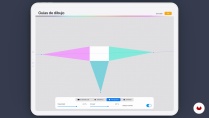
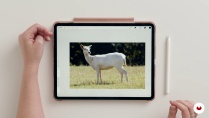
She then introduces you to Procreate, reviewing its most common tools and actions, and gives you the basics of composition and color.
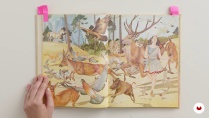
Learn techniques to awaken your creativity and come up with a concept for your project. See the importance of having good reference images and how to work with them on Procreate.
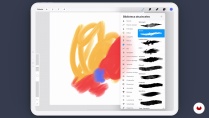
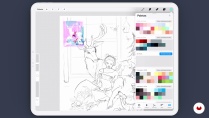
Then, start working on your final project! First, work on the layout of the elements and the linework using the drawing, selection, transformation tools. Discover how to use the app’s brushes and how to create or modify your own. Then, move on to applying the color and learn how to make the right creative decisions.
As you progress, learn about volume, lights, and shadow and explore blending modes, masks, and other layer options to experiment with. Learn how to refine your drawing, creating several versions.
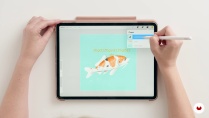
Vero shows you how to create basic animations on Procreate from scratch, without the need for any previous experience. Finally, she teaches you how to export and share your work in various formats.
- 99% positive reviews (914)
- 30,533 students
- 33 lessons (7h 43m)
- 20 additional resources (7 files)
- Online and at your own pace
- Available on the app
- Audio: Spanish, English, French, Italian, Portuguese, Turkish
- Spanish · English · Portuguese · German · Italian · French · Polish · Dutch · Turkish
- Level: Beginner
- Unlimited access forever
Recommended software & tools for this course
 Procreate
What is this course's project?
Create a complete creative illustration, starting from a concept based on magic realism. Develop it by experimenting with Procreate’s tools and learn how to animate your illustration.

Projects by course students


Who is this online course for?
For drawers, illustrators, designers, and anyone interested in immersing themselves in the world of digital illustration with Procreate in a practical and fun way.
Requirements and materials
No previous Procreate is needed, as you will learn how to use the app from scratch. But it is recommended to have basic drawing knowledge. Having used other digital drawing programs before can also be helpful, although it is not essential.
You will need a Procreate-compatible iPad and, ideally, an Apple Pencil.

Reviews

Vero Navarro
A course by Vero Navarro
Vero Navarro is an interdisciplinary illustrator from La Mancha, Spain who now lives in Valencia. In her early days, she illustrated manually until she tried Procreate and made an almost immediate jump towards digital formats. She started experimenting with other styles, from comics to Sumi-e watercolor to hyperrealism.
She has been working as a freelancer for more than ten years, making book covers for Arturo Pérez-Reverte, Albert Espinosa, and Aránzazu Serrano. Also, she has done projects for Formula 1 teams, independent film festivals, and private commissions.
In addition, she has collaborated with publishing houses such as Penguin Random House, Grijalbo, Alfaguara, Montena, RBA, Triskel, Green Bean Books, and more.
Content
-
U1
Introduction
-
Presentation
-
Influences
-
What will we do in the course?
-
-
U2
Composition, color and Procreate!
-
Lose your fear of Procreate 1
-
Lose your fear of Procreate 2
-
Composition for dummies 1
-
Composition for dummies 2
-
Drawing guides
-
Learn to color with head 1
-
Learn to color with head 2
-
Learn to color with head 3
-
Procreate update
-
-
U3
Start your project: Let's draw!
-
War on the blank sheet
-
The importance of a good referral
-
Cleaning up sketch 1
-
Cleaning up sketch 2
-
Cleaning up sketch 3
-
-
U4
Let's color
-
The Procreate Brushes 1
-
The Procreate Brushes 2
-
Coloring: from the general to the particular 1
-
Coloring: from the general to the particular 2
-
Coloring: from the general to the particular 3
-
Coloring with brush, layers and fusion modes 1
-
Coloring with brush, layers and fusion modes 2
-
Coloring with brush, layers and fusion modes 3
-
Coloring with brush, layers and fusion modes 4
-
Last details 1
-
Last details 2
-
-
U5
Animation
-
Procreate and animation
-
Bring your illustration to life 1
-
Bring Your Illustration to Life 2
-
Bring your illustration to life 3
-
Sharing our file
-
-
FP
Final project
-
Procreate: Creative Illustration Techniques
-
What to expect from a Domestika course
-
Learn at your own pace
Enjoy learning from home without a set schedule and with an easy-to-follow method. You set your own pace.
-
Learn from the best professionals
Learn valuable methods and techniques explained by top experts in the creative sector.
-
Meet expert teachers
Each expert teaches what they do best, with clear guidelines, true passion, and professional insight in every lesson.
-
Certificates
PlusIf you're a Plus member, get a custom certificate signed by your teacher for every course. Share it on your portfolio, social media, or wherever you like.
-
Get front-row seats
Videos of the highest quality, so you don't miss a single detail. With unlimited access, you can watch them as many times as you need to perfect your technique.
-
Share knowledge and ideas
Ask questions, request feedback, or offer solutions. Share your learning experience with other students in the community who are as passionate about creativity as you are.
-
Connect with a global creative community
The community is home to millions of people from around the world who are curious and passionate about exploring and expressing their creativity.
-
Watch professionally produced courses
Domestika curates its teacher roster and produces every course in-house to ensure a high-quality online learning experience.
FAQs
You’ll learn how to create complete digital illustrations in Procreate, master composition techniques, experiment with different styles, manage color and layers, and develop your own artistic voice. The course includes practical tips and methods to professionalize your work and share it on social media.
This is an intermediate-level course, perfect for those who already have basic drawing or illustration skills and want to deepen their knowledge of advanced techniques and digital workflows using Procreate.
You’ll need basic illustration skills and access to a tablet compatible with Procreate, plus the software installed. An Apple Pencil is recommended to get the most out of all features.
Throughout the course, you’ll experiment with various techniques, study inspiring artists, and use Procreate as a creative playground to develop a personal, authentic style, tailoring projects to your interests.
Yes, the course includes projects like editorial covers and fan art, applying composition, color, and visual storytelling techniques with Procreate’s advanced tools.
Yes, you’ll learn strategies for showcasing your portfolio on social media, building an effective online presence, and tips for attracting and managing clients in the illustration world.
You’ll master tools like layers, custom brushes, grids, perspective guides, blending modes, clipping masks, quick gestures, and color adjustments to streamline your digital workflow.
 Procreate
Vero is an amazing artists
the course is very detailed - she explains Procreate really very detailed
also the process of sketching, putting reference images together
so all in all it is very long and lots of videos
poorly when it comes to the part of detailed shading and layering of colours (for me the most interesting part) she doesnt explain too much anymore but its a long drawing process
and she doesnt use a cursor so its hard to follow the process
Un cours vraiment complet et très bien expliqué. Parfait pour apprendre les bases sur procreate.
great teacher
gran curso y excelente forma de enseñar
Todo lo que necesitaba saber. Maravillosa.profesora. Lo explica todo con mucha claridad y generosidad.