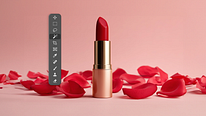
Guided Course: Learn to Edit and Perfect Product Photos in Photoshop
Clean Up
A guided course by Xi Chen, Photo Retoucher



About the video: Clean Up
Overview
“How can we clean up the main elements and the background of the image? We have to use functionalities such as the Dust & Scratches filter, the layer masks, and the Healing Brush and Clone Stamp tools. ”
In this video lesson Xi Chen addresses the topic: Clean Up, which is part of the Domestika online course: Guided Course: Learn to Edit and Perfect Product Photos in Photoshop. Learn Photoshop techniques for product photo retouching: setup, RAW import, masking, cleaning, and color balancing.
Partial transcription of the video
“Why do we want to clean up an image? We want to clear the image from any unwanted distractions or unintentional details. This way, the main focus stays on the subject matter. In this lesson, I will be showing you how to clean up the image using a dust and scratch filter. Healing Brush. As well as dodging a burning layer to achieve such effects. Let's get started. What I want to do is to remove this excessive soap, First, i'm going to create empty layer. on top of two of the bar masks. and I'm going to hold down command and click on this group and then move down to the other group mask and r...”
This transcript is automatically generated, so it may contain mistakes.
Course summary for: Guided Course: Learn to Edit and Perfect Product Photos in Photoshop
-
Category
Photography & Video -
Software
Adobe Photoshop -
Areas
Digital Photography, Fashion Photography, Photography Post-production, Portrait Photography

Xi Chen
A guided course by Xi Chen
Xi Chen is a freelance photo retoucher based in Brooklyn, New York. Originally a photographer, she now specializes in color correction and retouching images for fashion editorials, portraits, commercial campaigns, social media content, and fine art.
Xi has worked with luxury fashion brands like Chanel, Prada, Alexander Wang, Balenciaga, Calvin Klein, Hermes, Valentino, Bobbi Brown, Vera Wang, and more. Her client list also includes Google, Samsung, Nike, and Adidas, as well as editorials like GQ, Harper’s Bazaar, Vanity Fair, and Vogue.
- 63 students
- 9 lessons (1h 22m)
- 8 additional resources (2 files)
- Online and at your own pace
- Available on the app
- Audio: English, German, Spanish (Latam), French, Italian, Polish, Portuguese, Turkish
- Romanian · Indonesian · English · Portuguese · French · Italian · German · Turkish · Dutch · Polish
- Level: Beginner
- Unlimited access forever
Recommended software & tools for this course
 Adobe Photoshop
Category
Areas